


FPGARelated.com
Books

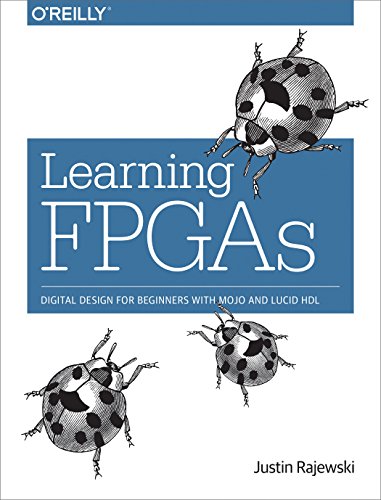
Learning FPGAs: Digital Design for Beginners with Mojo and Lucid HDL

Justin Rajewski 2017

Learn how to design digital circuits with FPGAs, the devices that reconfigure themselves to become the very hardware circuits you program. In this concise ebook, author Justin Rajewski teaches you hands-on how to create your first FPGA project.

While FPGAs (Field Programmable Gate Arrays) and microcontrollers such as Arduino and Raspberry Pi are often compared, FPGAs are ideal for projects that can be broken down into parallel stages, need to operate at high speeds with low latency, or need custom logic not otherwise available. If you understand the basics of electricity as well as binary, hexadecimal, and decimal number systems, you’re ready to start your journey toward digital hardware mastery.

  • Learn how hardware designs are broken into modules, comparable to functions in a software program
  • Set up your environment by installing Xilinx ISE and the Mojo IDE
  • Build a high level understanding of digital designs that can be implemented on an FPGA
  • Build your project with Lucid, a hardware description language with syntax similar to C/C++, Verilog, and Java
  • Use the Mojo IDE to design, build, and load your FPGA designs


Why Read This Book

You will get a short, hands-on introduction that takes you from digital-logic basics to a working FPGA project on the Mojo board using the Lucid HDL, so you can stop reading theory and start building. The book emphasizes practical workflows — modular design, synthesis, bitstream generation, and simple debugging — so you learn the toolchain and mindset that make FPGA development productive.

Who Will Benefit

Hobbyists, students, and embedded engineers who know basic binary math and electricity and want a compact, project-oriented path into FPGAs using the Mojo board and Lucid HDL.

Level: Beginner — Prerequisites: Basic understanding of electricity and circuits plus familiarity with binary, hexadecimal, and decimal number systems; some prior programming experience is helpful but not required.

Get This Book

Key Takeaways

  • Write and organize hardware modules using the Lucid HDL and map designs to an FPGA development board
  • Synthesize, place & route, and generate a bitstream for the Mojo board (deploy your design to silicon)
  • Design and implement combinational and sequential logic, including counters, registers, and finite-state machines
  • Interface simple I/O (LEDs, switches, buttons, UART) and debug designs using on-board peripherals
  • Compare Lucid constructs with standard HDLs (Verilog/VHDL) and understand how HDL code maps to hardware

Topics Covered

  1. 1. What is an FPGA? — Why use FPGAs and how they differ from microcontrollers
  2. 2. Quick digital logic review — Gates, binary arithmetic, and timing basics
  3. 3. Meet the Mojo board and toolflow — Hardware, connectors, and the Lucid toolchain
  4. 4. Your first project — Blinking LEDs and the end-to-end flow
  5. 5. Combinational logic and arithmetic — Multiplexers, adders, and coding patterns
  6. 6. Sequential logic and registers — Flip-flops, clocks, and synchronous design
  7. 7. Finite-state machines — Modeling control and sequencing in hardware
  8. 8. I/O and peripherals — Buttons, switches, LEDs, and UART serial communication
  9. 9. Memory and simple datapaths — Counters, shift registers, and small RAM blocks
  10. 10. Synthesis, constraints, and timing — From HDL to bitstream and basic timing fixes
  11. 11. Lucid versus Verilog/VHDL — Porting ideas and reading standard HDL examples
  12. 12. Next steps — Xilinx/Intel toolchains, introduction to HLS, and project ideas
  13. Appendices — Reference material, common pitfalls, and further reading

Languages, Platforms & Tools

LucidVerilog (comparative examples)VHDL (discussed conceptually)Mojo FPGA development board (Spartan-series)General Xilinx FPGA families (conceptual)Intel/Altera FPGAs (conceptual)Mojo/Lucid toolchain (Mojo IDE/workflow)Xilinx ISE/Vivado (overview and next-step guidance)Intel Quartus (mentioned conceptually)Introduction to HLS tools (Vivado HLS, Intel HLS concepts)

How It Compares

Shorter and more project-oriented than Pong P. Chu's "FPGA Prototyping by Verilog Examples," Learning FPGAs focuses on the Mojo board and Lucid for a low-friction start, while Chu provides a deeper, Verilog-centric textbook approach for larger designs.

Related Books